- Tap the bookmark icon to save any Reel or video to a private collection inside Instagram.
- Many public Reels can be downloaded from the Share menu if the creator has not turned downloads off.
- Download your own Reels and Stories from the three-dot menu, and avoid third-party downloader apps.
Instagram gives you several official ways to save videos, from bookmarking Reels inside the app to downloading your own videos to your phone. You can even download many public Reels from other people if the creator allows it. This guide covers every safe method, without third-party apps or websites.
Save Instagram Videos to a Collection
The simplest way to keep a video is to save it inside Instagram.
- Open the Reel or video post.
- Tap the Save (bookmark) icon.
- To sort it, tap Save again and choose or create a collection.
- Find saved videos later under your profile > menu > Saved.
Saved items stay private and are only visible to you. They are not stored on your phone, so you need the internet to watch them.
Download Public Reels From Other Accounts
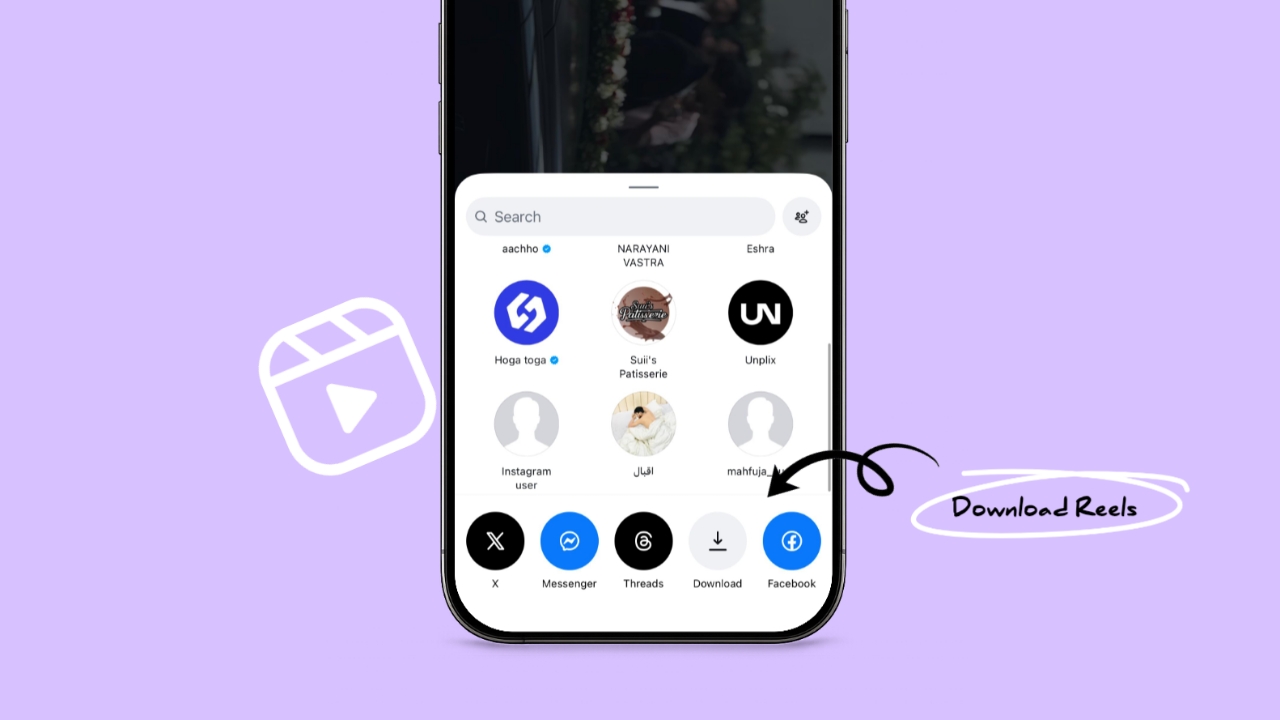
Instagram lets you download Reels from public accounts in many countries, as long as the creator has not turned downloads off.
- Open the Reel.
- Tap the Share (paper plane) icon.
- Tap Download. If you do not see it, the creator has turned off downloads or the account is private.
Downloaded Reels include the Instagram watermark and the creator’s username. Reels using some licensed music may download without the original audio.
Download Your Own Reels and Videos
- Open your Reel or video on your profile.
- Tap the three-dot menu.
- Tap Download or Save to camera roll.
Your own Stories can also be saved. Open the story, tap the three dots and choose Save. Older stories are kept in your Archive if Story archive is turned on.
Download a Copy of All Your Instagram Data
To back up every photo and video you have posted, open Accounts Centre > Your information and permissions > Download your information, choose Instagram and request a copy. Instagram sends a download link when the file is ready.
Why You Should Avoid Third-Party Downloaders
- Many downloader apps and websites show misleading ads or ask for your Instagram login, which can put your account at risk.
- Downloading and reposting someone else’s video without permission can break Instagram’s rules and copyright law.
- Instagram’s own Save and Download options are safer and keep the creator’s credit.
If you want to reuse someone’s video, ask the creator for permission first and always give credit.
For more Instagram tips, learn how to hide photos on Instagram without deleting them and explore these hidden Instagram tools. You can also read Instagram Help Centre for the latest options.
Frequently Asked Questions
Why is there no Download button on some Reels?
The account may be private, the creator may have turned off downloads, or the feature may not be available in your region yet. You can still save the Reel to a collection.
Does the creator know when I save or download their Reel?
Creators see the total number of saves and shares in their insights, but Instagram does not tell them who saved or downloaded a Reel.
Can I download videos from a private account?
No. Instagram does not offer downloads from private accounts. You can only save them to a collection if you follow the account.
Final Takeaway
Use the Save button to keep videos inside Instagram, the Download option in the Share menu for public Reels, and the three-dot menu to download your own videos. These official options are safe, quick and respect the creator’s rights.