Tag: Android
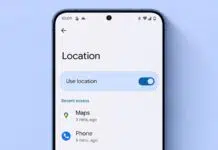
How to Turn Off Location on Android: Every Setting Explained
Turn off location on Android in Settings, stop Wi-Fi and Bluetooth scanning, limit app access and delete Google Maps Timeline. Emergency calls still work.
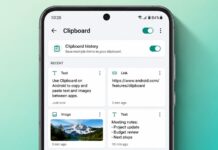
How to Use Clipboard on Android to Copy and Paste Faster
Use Clipboard on Android to copy information quickly between applications. This useful feature stores copied text, links, and images temporarily.
Modern Android phones also provide...
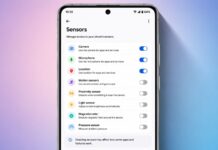
How to Disable Android Phone Sensors for Better Privacy
Disable Android Phone Sensors for better privacy and stronger security. This feature blocks sensor access with one tap.
Android 10 introduced this useful privacy option....
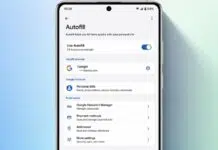
How to Manage Android Autofill Settings: A Step-by-Step Guide
Manage Android Autofill Settings makes filling online forms much easier. Android safely stores passwords, addresses, payment details, and personal information.
This feature saves valuable time...
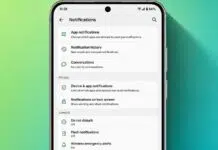
How to Fix Notification Issues on Android: A Step-by-Step Guide
Fix Notification Issues on Android using simple troubleshooting methods today. Missing notifications can delay important calls, messages, and reminders.
Wrong settings, weak internet, or battery...

How to Use Your Android Phone as a Webcam on Windows 11 Without Extra...
Many laptops include weak cameras for video meetings. Android phones often provide much better image quality and can be used as a Webcam on...

How to Check Data Usage on Android and Set a Data Limit
Check mobile data usage on Android, see which apps use the most data, and set a data warning or limit on Pixel, Samsung and other phones.

Fix Spotify Not Working on Android or iPhone: 10 Easy Solutions
Spotify not working on Android or iPhone? Fix playback, loading and crashing problems with these official troubleshooting steps.

How to Turn Off Google Assistant or Gemini on Android
Turn off Google Assistant or Gemini on Android, stop Hey Google and the power button shortcut, and manage saved activity.

How to Clear Cache on a Smart TV (Samsung, LG, Google TV, Roku)
Step-by-step ways to clear app cache on Samsung, Google TV, Android TV, Fire TV, LG and Roku smart TVs.